Installation
Install the extension
Choose your browser. Then open your website, click the extension icon and sign in with GitHub.
BitMan · Feedback Capture
Bug reports that arrive as GitHub issues.
Your testers click the browser icon on your website, select what is wrong and add a note. Your team receives one GitHub issue with the screenshots, the page, the browser and what failed in the background.
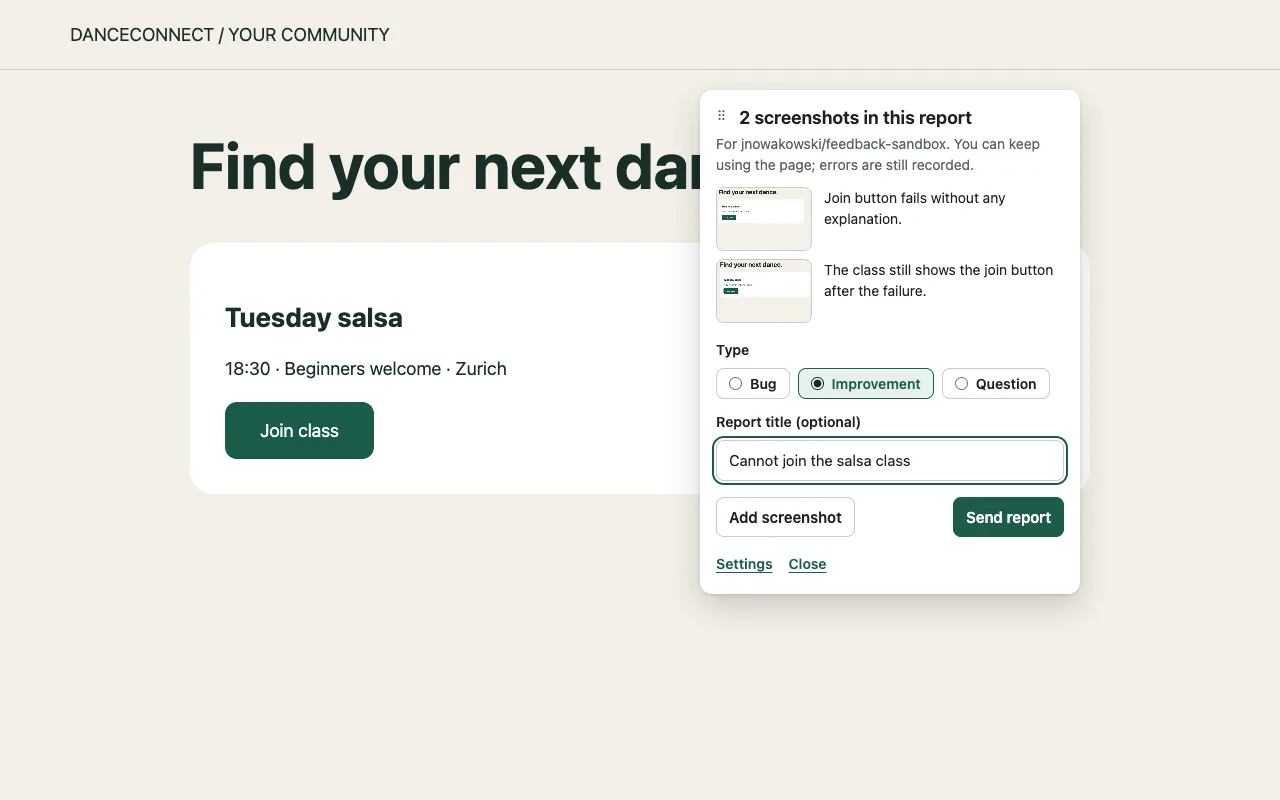
No more copying screenshots into tickets.
The page, the browser and the error are already in the issue. Nobody has to ask.
What a report contains
What is in the issue
Everything a developer needs to reproduce the problem, in one report.
Screenshots
An area or the whole page
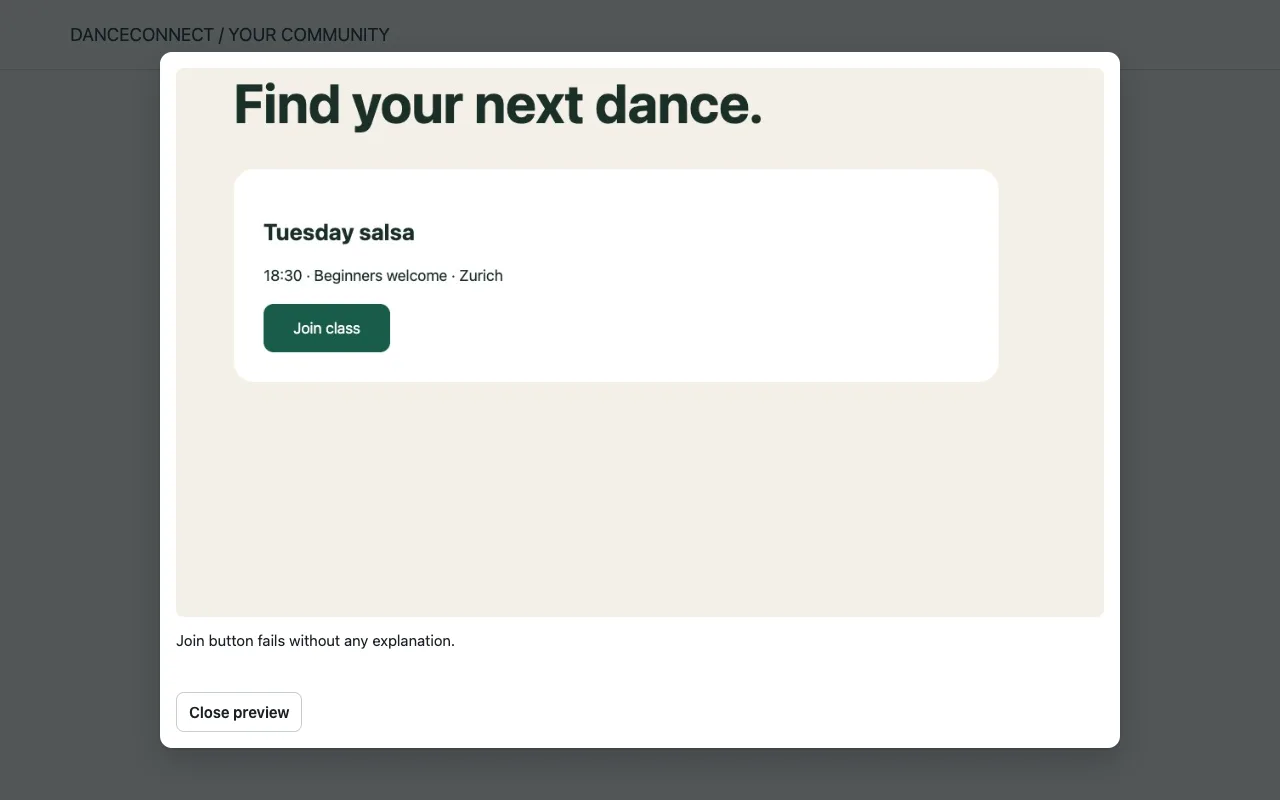
One or more areas of the page, or the whole visible page, each with the tester’s note. Up to eight per report.
Context
Page and browser
Address with tokens removed, page title, time, browser, screen size and the selected element.
Diagnostics
Console errors and failed requests
Recorded on that page from the moment the tester opens the tool: JavaScript errors, warnings and failed requests with address, method and status.
Steps
Recent clicks
Which elements were clicked before the problem. Typed values are never recorded.
Triage
Type and labels
Bug, improvement or question becomes a label, together with a shared feedback label, so the queue is easy to filter.
Logs
Links to your server logs
If your application logs to Grafana Loki, the issue links to the logs of that time window. If your pages expose a pseudonymous session ID, also to the tester’s exact session.
Steps
How it works
Three steps for the tester, nothing to configure.
01
Open the tool
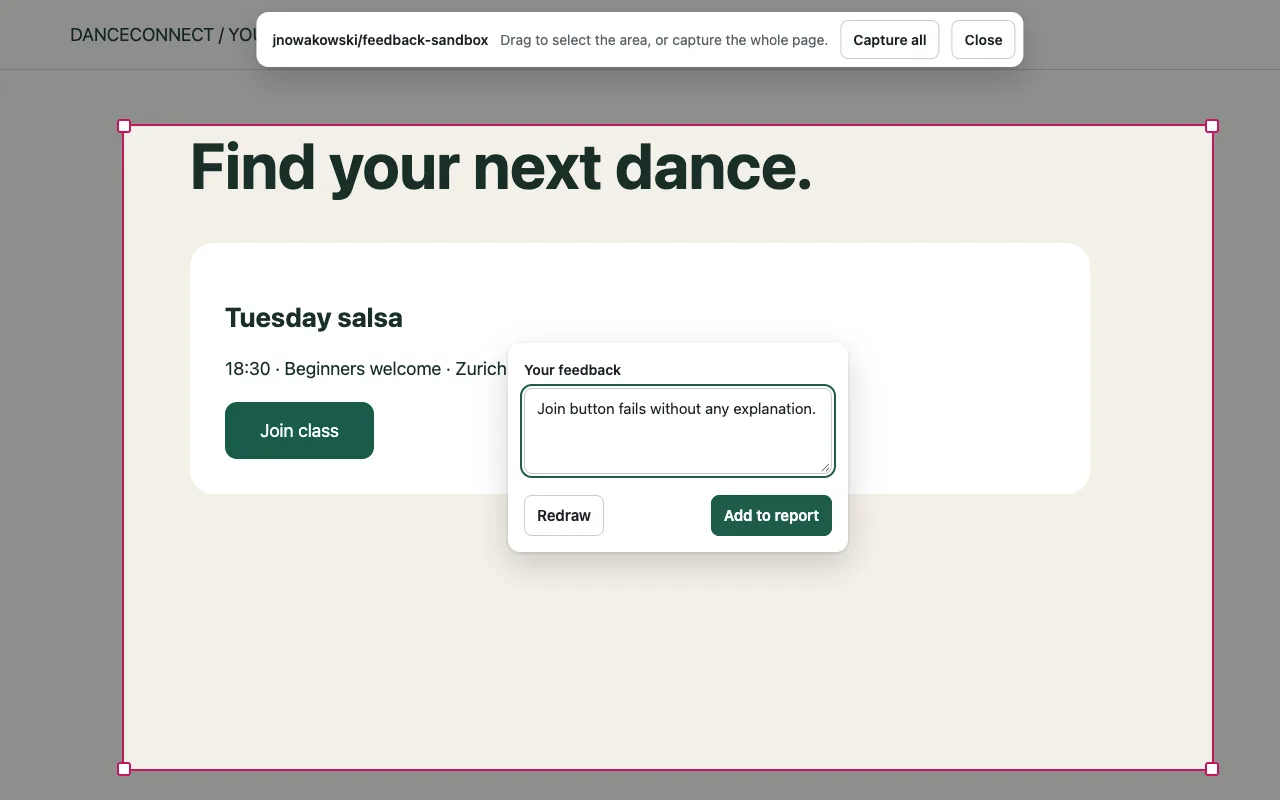
Click the extension icon on the page. Drag over the area or choose Capture all.
02
Describe it
Write a note and choose bug, improvement or question. Add more screenshots while you keep using the page; the icon shows how many are waiting.
03
Send
One click creates the GitHub issue under the tester’s own account and shows the link.
Privacy and access
Only what the tester sends
- Sign-in with the tester’s GitHub account. GitHub tokens stay encrypted on the server; the extension never receives them.
- The extension reads a page only after its icon is clicked on that page. Cookies, typed values, request headers and bodies are not collected; known credential patterns are removed.
- Screenshots are stored in your repository on the separate feedback-assets branch. Access follows the repository’s permissions.
- The server deletes its copy of a report as soon as it is saved to GitHub.
In use
At DanceConnect
DanceConnect is a platform for dance schools. Its testers report problems straight into the team’s GitHub repository: each issue arrives with labels, screenshots and links to the Grafana logs of that moment.
For DanceConnect testers: install the extension →Setup
Setting it up for your team
Feedback Capture works with GitHub repositories, private ones included. The repository owner connects it once; testers only sign in. If there is exactly one connected repository, it is selected automatically.
We set it up together: connect the repository, check the first reports with your team and, if you use Grafana Loki, link the issues to your logs. The service can also run on your own infrastructure. We agree the scope and cost before work begins.
Discuss your projectRepository owner: connect a repository on GitHub →
Frequently asked questions
Which browsers are supported?
Firefox, with a signed add-on that updates itself. Chrome and other Chromium browsers through a direct install of the downloaded package; the steps are at the top of this page.
Do testers need a GitHub account?
Yes. Issues are created under each tester’s own account, and testers only see repositories they can access.
Does it work with private repositories?
Yes. In a private repository, screenshots are visible only to people with access to the repository.
Where is the data stored?
Screenshots and the issue are in your GitHub repository. The server keeps sign-in data and, until a report is saved, its contents, encrypted.
What does it cost?
That depends on the setup: hosted by us or on your infrastructure, the number of projects and whether log links are needed. We agree the scope and cost before work begins.
Contact
Set up feedback for your project
Tell us which application and repository it is for, and who will test it.
kontakt@bitman.ch